
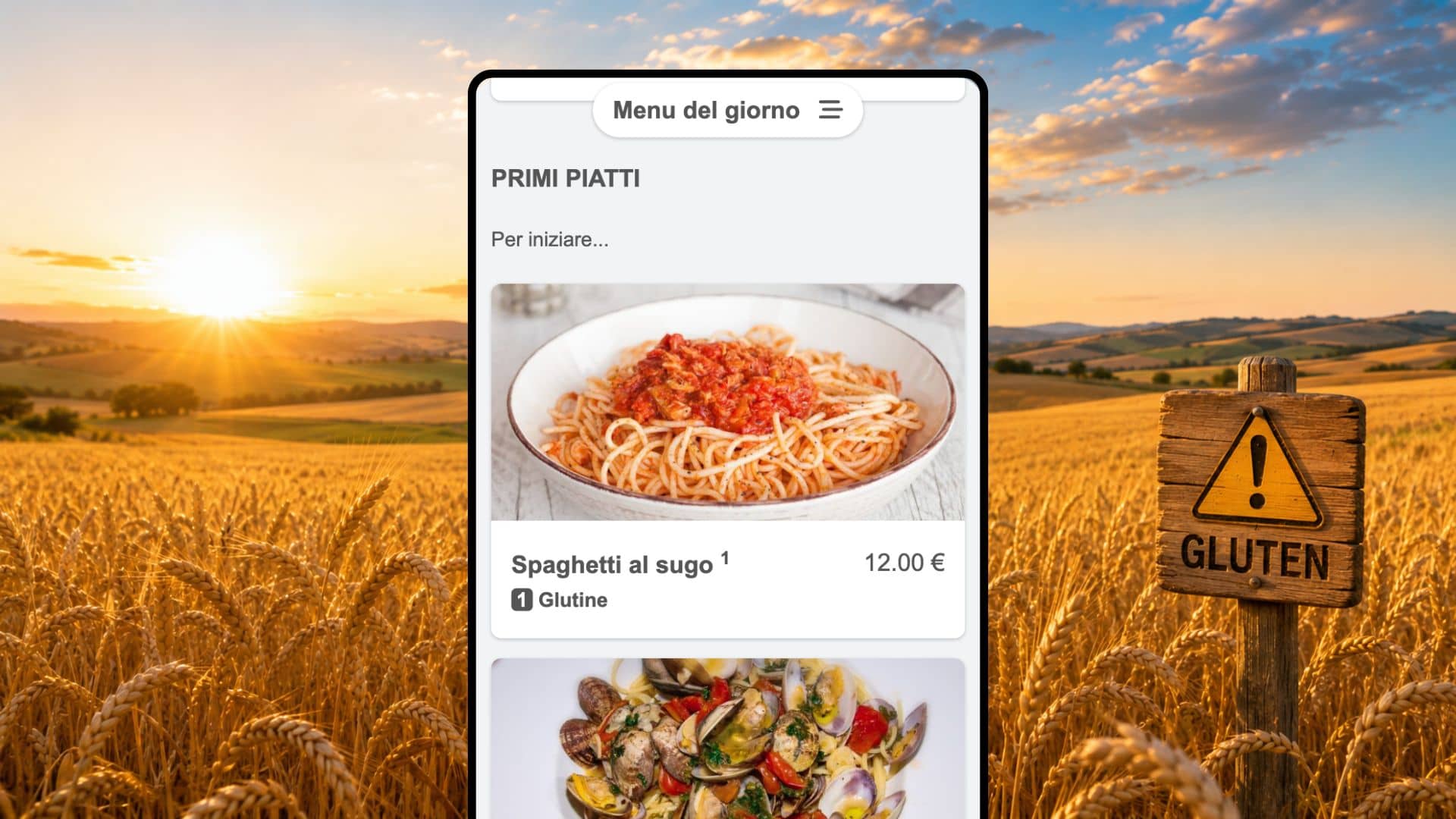
BuonMenu lets you create a numbered allergen legend for your restaurant and then associate one or more allergen numbers with each dish.
This is useful because the public menu stays clean: customers see the allergen numbers next to the dish name, and they can click those numbers to expand the allergen name and description.
Step 1: create the allergen table
First, add the allergen list used by your restaurant.
From your restaurant dashboard:
- Click Allergens.
- Click Add allergen.
- Enter the Number, Name and optional Description.
- Click the save button.
- Repeat the process for each allergen.
For example, you can create allergen number 1 with the name Gluten and a description such as Cereals containing gluten (Wheat, rye, barley, oats and products thereof).
You can also improve the description of an allergen later: open Allergens, click the allergen, then click Edit.
Step 2: associate allergens with dishes
After the allergen legend exists, add the relevant allergen numbers to each menu item. You can do this in two ways.
Option A: use the one-page editor
The one-page editor is the fastest workflow when you are updating many dishes.
From your restaurant dashboard:
- Click Menu Editor.
- Open the menu you want to edit.
- Click an existing dish, or click Add item inside a category to create a new dish first.
- In the dish panel, find Add allergen numbers.
- Type the numbers separated by commas, for example 1, 3, 5.
Option B: use the classic editor
To add allergen numbers while creating a new dish:
- From the restaurant dashboard, click a menu.
- Click a category.
- Click Add item.
- Fill in the dish details.
- In Allergen numbers, enter the numbers separated by commas, for example 1, 3, 7.
- Save the item.
To add allergen numbers to an existing dish:
- From the restaurant dashboard, click a menu.
- Click a category.
- Click the dish.
- Click Edit.
- Update Allergen numbers.
- Save the item.
What customers see
When a dish has allergen numbers, BuonMenu shows those numbers next to the dish name on the public menu.
When the customer clicks the numbers, the menu expands and shows the matching allergen entries from your allergen legend.
For best results, make sure every number used on dishes exists in the Allergens section. If you use a number without creating the matching allergen, the public menu can show the number but it will not have a name or description to show.
Example table for the 14 allergens
The following table is a practical starting point, based on EU regulations, which lists substances or products causing allergies or intolerances.
Adapt the table to the laws in force in your country and to local rules, your recipes, and supplier information. Always verify that your table complies with any new regulations. The following table is only an example.
- Cereals containing gluten: Wheat such as spelt and khorasan wheat, rye, barley, oats, their hybridised strains and products thereof.
- Crustaceans: Crustaceans and products thereof, such as prawns, crabs, lobster and crayfish.
- Eggs: Eggs and products thereof.
- Fish: Fish and products thereof.
- Peanuts: Peanuts and products thereof.
- Soybeans: Soybeans and products thereof.
- Milk: Milk and products thereof, including lactose.
- Nuts: Almonds, hazelnuts, walnuts, cashews, pecan nuts, Brazil nuts, pistachio nuts, macadamia or Queensland nuts and products thereof.
- Celery: Celery and products thereof.
- Mustard: Mustard and products thereof.
- Sesame seeds: Sesame seeds and products thereof.
- Sulphur dioxide and sulphites: Sulphur dioxide and sulphites at concentrations of more than 10 mg/kg or 10 mg/litre in terms of total SO2.
- Lupin: Lupin and products thereof.
- Molluscs: Molluscs and products thereof, such as mussels, oysters, squid and snails.